
Tally connector
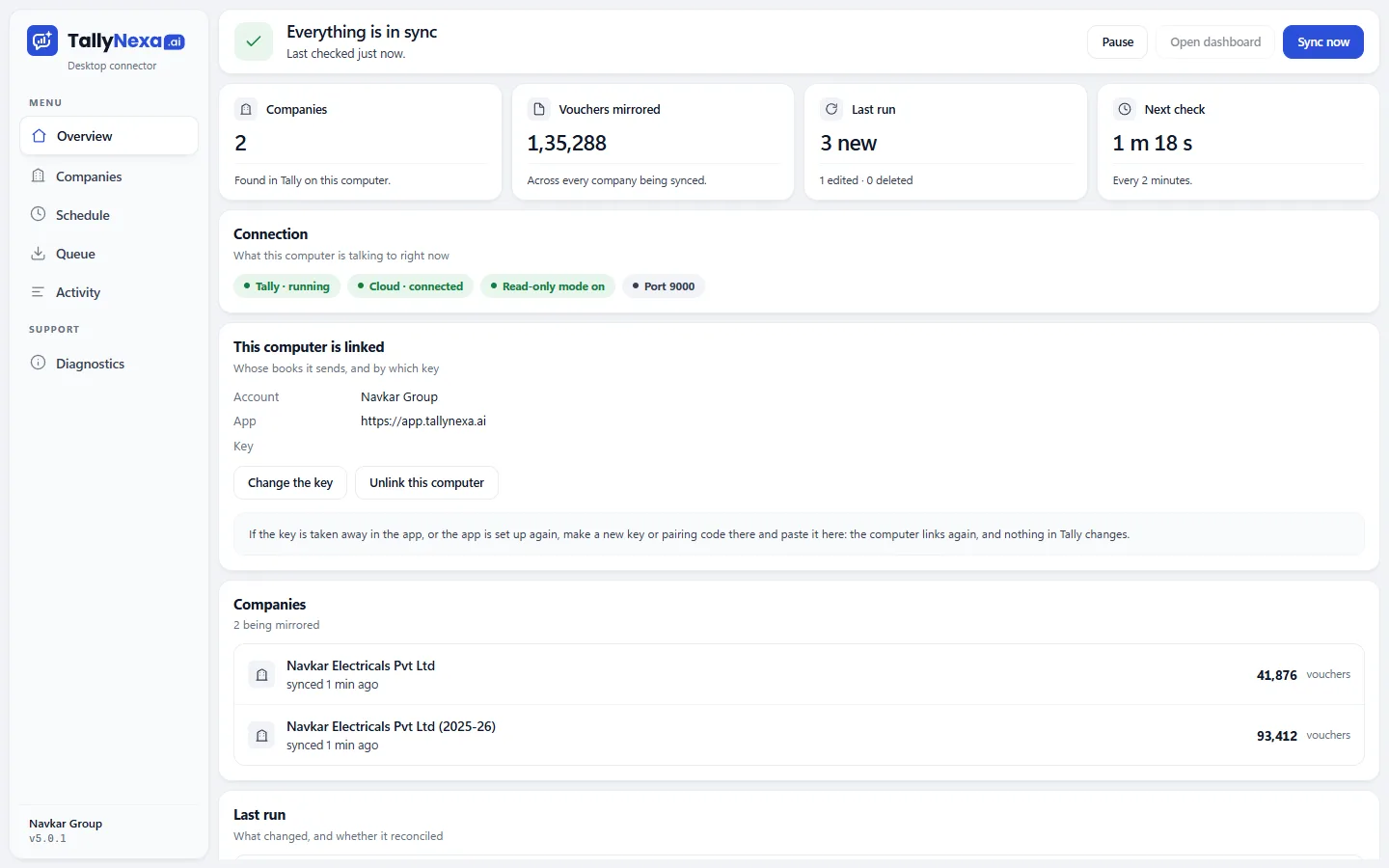
A small program beside Tally reads your companies the way Tally keeps them, then keeps the copy in step as you work.
What it does
- Ledgers, vouchers, stock, GST, TDS and bank details, read as Tally holds them
- Each new or changed entry sent within minutes, and deletions noticed
- The first read goes month by month, so a large book is ready the same day
- Runs on the computer that has Tally; nothing else to install
More of TallyNexa
All features





How it works
- 1
Install it beside Tally
On the Windows PC that runs TallyPrime. It installs for you alone, with no administrator password, and starts with Windows. - 2
Let it in, once
In TallyPrime: Exchange, then Configure, then Client/Server configuration. TallyPrime acts as Both, Enable ODBC Yes, port 9000. - 3
Choose the books
The first read goes month by month: accounts and items first, then entries, so a large book is ready the same day. - 4
It keeps in step
While Tally is open, each new or changed entry is sent within minutes, and deletions are noticed.
Questions about Tally connector
How does TallyNexa get data from Tally?
A small Windows program, the TallyNexa connector, runs on the computer that has Tally. It reads your companies through Tally's own gateway on port 9000, the way Tally keeps them, and sends each new or changed entry to your TallyNexa account within minutes.
Do I need a TDL or a Tally add-on?
No. The connector uses the gateway built into TallyPrime, so there is nothing to load into Tally. In TallyPrime, open Exchange, then Configure, then Client/Server configuration: set TallyPrime to act as Both, Enable ODBC to Yes and the port to 9000, then accept. It is done once.
Does Tally have to be open for the sync?
Yes. The connector reads the companies that are open in Tally on that computer. It starts with Windows and runs in the background, so the sync carries on whenever Tally is open.
How long does the first sync take?
The first read goes month by month, so a large book is ready the same day; a book of about 90,000 vouchers is read in minutes rather than hours. After that only new and changed entries are sent.